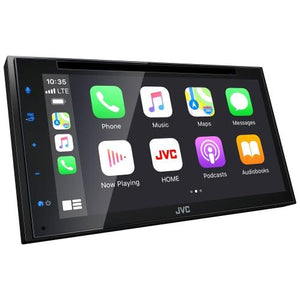
Android Auto was designed with safety in mind. With a simple and intuitive interface and powerful voice actions, it’s designed to minimize distraction so that you can stay focused on the road.
By installing the “Mirroring OA for JVC” app, your Android phone is seamlessly displayed on the receiver's screen via USB. You can enjoy a variety of apps such as Waze, YouTube, and Instagram. Touch control is possible from both screen and smartphone.
Time Alignment
By selecting the speaker type and the distance to the center of the listening position, the receiver will automatically adjust the timing of the sound output from each of the speakers so that the sound from each of the speakers will arrive exactly at the same time to the listening position.
13-Band Equalizer
Use the 13-Band Equalizer to manually adjust the sound to your taste.
Android™ Bluetooth Automatic Pairing
Just connect your Android device via USB and the automatic Bluetooth pairing function will work to complete the pairing. No complicated manual procedure to worry about.
Ready for SiriusXM Radio
(optional SiriusXM tuner required, sold separately)
Ready for SiriusXM Radio. You can listen to over 100 Channels of music, sports, and entertainment.